Ever wanted to code your own Rubik’s programs? Well, even if you haven’t, there is a new open-source tool that makes it extremely easy to create 2D and 3D visualizations of any WCA puzzle to enhance your programs even if you don’t have much coding experience.
Intro
The program is called scramble-display, and it is basically an HTML library that lets you make cube visualizations easily. The first thing you need to do is set up a web page to run your code on. This is completely free and extremely easy. All you need to do is go to replit, create an account, and make a new project with the HTML5 template. You will be presented with something like this:

Basic Syntax
The next part of the setup requires a little bit of knowledge of HTML, and javascript. If you don’t know any of these, you can find good, concise tutorials at w3schools. First, we need to copy the script file into the head of the document. You can find instructions for that on the GitHub page. Then, to create a cube render, you can create an element called.
<scramble-display scramble="F' D F2 L2 U' R2 U' F2 D2 R2 F2 U2 F R' B F D' B2 U B'"></scramble-display>If you run this code you will see a 2D representation of a 3×3 with the scramble applied to it. You can change the properties of the scramble display tag to customize how to cube looks, and what it displays.

Examples
There are already a lot of examples on the GitHub page. Basically, all you need to know is that the <scramble-display> element has many properties like scramble that you can add in the element to change what it displays. Here are some basic ways you can customize the element to your needs.
- Scramble
The scramble property is already in the element. You can change that string however you want the cube to be scrambled. You can also set it to a variable which I will talk about later.
Example:
<scramble-display scramble="R2 D2 r D' L F"></scramble-display>- Visualization
This changes how the cube looks, you can set it to “2D” or “3D”
Example:
<scramble-display scramble="R2 D2 r D' L F" visualization="3D"></scramble-display>- Event
If you want to render something other than a 3×3, you can change the “event” property to all the WCA puzzles. The other properties still apply.
Example:
<scramble-display scramble="R2 D2 r D' L F" visualization="3D" event="pyram"></scramble-display>Here’s an overview of all the possible properties:
event: null | "222" | "333" | "444" | "555" | "666" | "777" | "333bf" | "333fm" | "333oh" | "clock" | "minx" | "pyram" | "skewb" | "sq1" | "444bf" | "555bf" | "333mbf" | "333ft";

visualization: null | "2D" | "3D"

scramble: null | string

checkered: false (attribute not present) | true (attribute present)
One example of what you can do with this tool
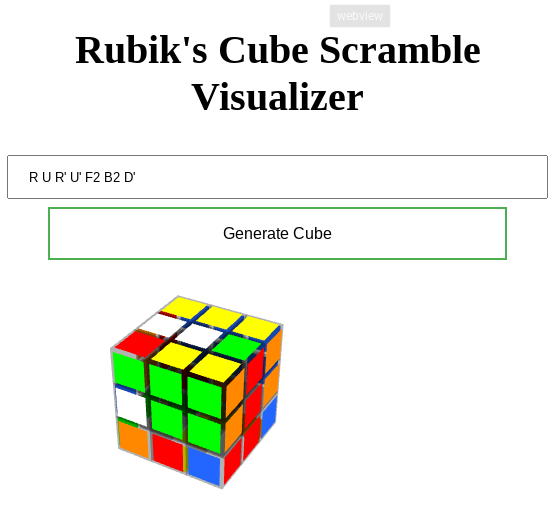
To demonstrate some of this tool’s amazing capabilities I’ve made a simple program that generates a visual of the cube based on the scramble the user inputs. There is also a random scramble feature that’s disabled, but you can play around with it if you would like. Feel free to take a look at it, and maybe even fork it and add your own touch!
Credits: The tool mentioned in this article was found on https://github.com/cubing/scramble-display which is licensed under GPL license (version 3 or later).


Leave a comment